Error handling
Every playback failure arrives as an OGPlayerError with a stable numeric
code (the full table), a category, a
human-readable message, and a retryable flag. Codes are identical on
Android, iOS, web, smart TVs, React Native and Flutter — one error strategy
covers all your clients.
Listening
Section titled “Listening”player.addListener(object : PlaybackListener { override fun onError(error: OGPlayerError) { crashlytics.log("playback ${error.code}: ${error.message}") if (error.retryable) scheduleRetry() }})final class Listener: PlaybackListener { func onError(_ error: OGPlayerError) { logger.error("playback \(error.code): \(error.message)") if error.retryable { scheduleRetry() } }}player.addListener({ onError: (error) => { telemetry.log(`playback ${error.code}: ${error.message}`); if (error.retryable) scheduleRetry(); },});<OGPlayerView style={styles.player} source={item} onError={(error) => { telemetry.log(`playback ${error.code}: ${error.message}`); if (error.retryable) scheduleRetry(); }}/>OGPlayerView( source: item, onError: (error) { telemetry.log('playback ${error.code}: ${error.message}'); if (error.retryable) scheduleRetry(); },)The Retry button
Section titled “The Retry button”The default error overlay ships with a Retry button. Tapping it calls
player.retry(), which reloads the failed item — VOD resumes at the last
healthy playback position (the SDK tracks it internally), live streams
rejoin at the live edge. If the item carries ads the viewer already watched,
they are not replayed (see the IMA guide).
Everything about it is configurable, on every platform:
- Hide it:
setShowRetryButton(false)(Android) ·config.showRetryButton = false(iOS) ·showRetryButton: false(web). - Relabel it, any language:
setRetryButtonLabel("Probeer opnieuw")/config.retryButtonLabel/retryButtonLabel. - Remove it:
setShowRetryButton(false)— the overlay shows only the message; recovery is your app’s call (player.retry()remains available from your own code, and resumes VOD at the last playback position).
Your own error UI on the player surface
Section titled “Your own error UI on the player surface”For full control, replace the SDK’s error overlay entirely: hand the player a
piece of your UI and it renders it on the video surface whenever a fatal
error occurs — embedded and fullscreen alike. You receive the error and a
retry function; showing and clearing is the SDK’s job (it disappears
automatically on retry or a new load). When the slot is set, the built-in
overlay — and the message/retry-button settings that style it — simply
doesn’t render.
OGPlayerView( player = player, errorOverlay = { error, retry -> YourErrorPanel(code = error.code, onTryAgain = retry) },)OGPlayerView(player: player, errorOverlay: { error, retry in AnyView(YourErrorPanel(code: error.code, onTryAgain: retry))})playerEl.config = { ...playerEl.config, renderErrorOverlay: (error, retry) => buildYourErrorPanel(error, retry),};The error-overlay slot is not available in React Native — a render function can’t cross the bridge into the native surface; instead, suppress the built-in overlay and draw your own view over the player:
const ref = useRef<OGPlayerViewRef>(null);const [error, setError] = useState<OGPlayerError | null>(null);
<View style={styles.playerContainer}>  <OGPlayerView    ref={ref}    style={styles.player}    source={item}    uiConfig={{ suppressErrorOverlay: true }}    onError={setError}  />  {error && (    <YourErrorPanel      code={error.code}      onTryAgain={() => {        setError(null);        ref.current?.retry();      }}    />  )}</View>
The error-overlay slot is not available in Flutter — a widget builder can’t cross into the native surface; instead, suppress the built-in overlay and draw your own widget over the player:
OGPlayerViewController? controller;OGPlayerError? error;
Stack(  children: [    OGPlayerView(      source: item,      uiConfig: const OGUIConfig(suppressErrorOverlay: true),      onViewCreated: (c) => controller = c,      onError: (e) => setState(() => error = e),    ),    if (error != null)      YourErrorPanel(        code: error!.code,        onTryAgain: () {          setState(() => error = null);          controller?.retry();        },      ),  ],)
The three levels of error-surface control, from lightest to fullest: your
copy on our overlay (errorMessageProvider) → our overlay without the button
(showRetryButton = false, recover via player.retry()) → your whole UI on
the surface (the slot above).
Styling the error overlay
Section titled “Styling the error overlay”The built-in overlay’s look is themeable — message text style and the Retry button’s colors and font. Null/absent keeps the SDK defaults (white 15sp message, brand-yellow button).
OGUiConfig.Builder() .setErrorTextStyle(TextStyle(color = Color.White, fontSize = 16.sp, fontFamily = FontFamily.Serif)) .setRetryButtonStyle( containerColor = Color(0xFF3D6EF5), contentColor = Color.White, textStyle = TextStyle(fontFamily = FontFamily.Serif), ) .build()var config = OGUIConfig()config.errorTextFont = .system(size: 16, design: .serif)config.errorTextColor = .whiteconfig.retryButtonBackgroundColor = Color(red: 0.24, green: 0.43, blue: 0.96)config.retryButtonForegroundColor = .whiteconfig.retryButtonFont = .system(size: 14, weight: .semibold, design: .serif)player.config = { errorTextStyle: "font-family:Georgia,serif;font-size:16px", retryButtonStyle: "background:#3D6EF5;color:#fff;font-family:Georgia,serif",};<OGPlayerView style={styles.player} source={item} uiConfig={{ errorTextColor: '#FFFFFF', errorTextSize: 16, errorTextFontFamily: 'serif', retryButtonColor: '#3D6EF5', retryButtonTextColor: '#FFFFFF', retryButtonFontFamily: 'serif', }}/>OGPlayerView( source: item, uiConfig: const OGUIConfig( errorTextColor: '#FFFFFF', errorTextSize: 16, errorTextFontFamily: 'serif', retryButtonColor: '#3D6EF5', retryButtonTextColor: '#FFFFFF', retryButtonFontFamily: 'serif', ),)Your own error overlay copy
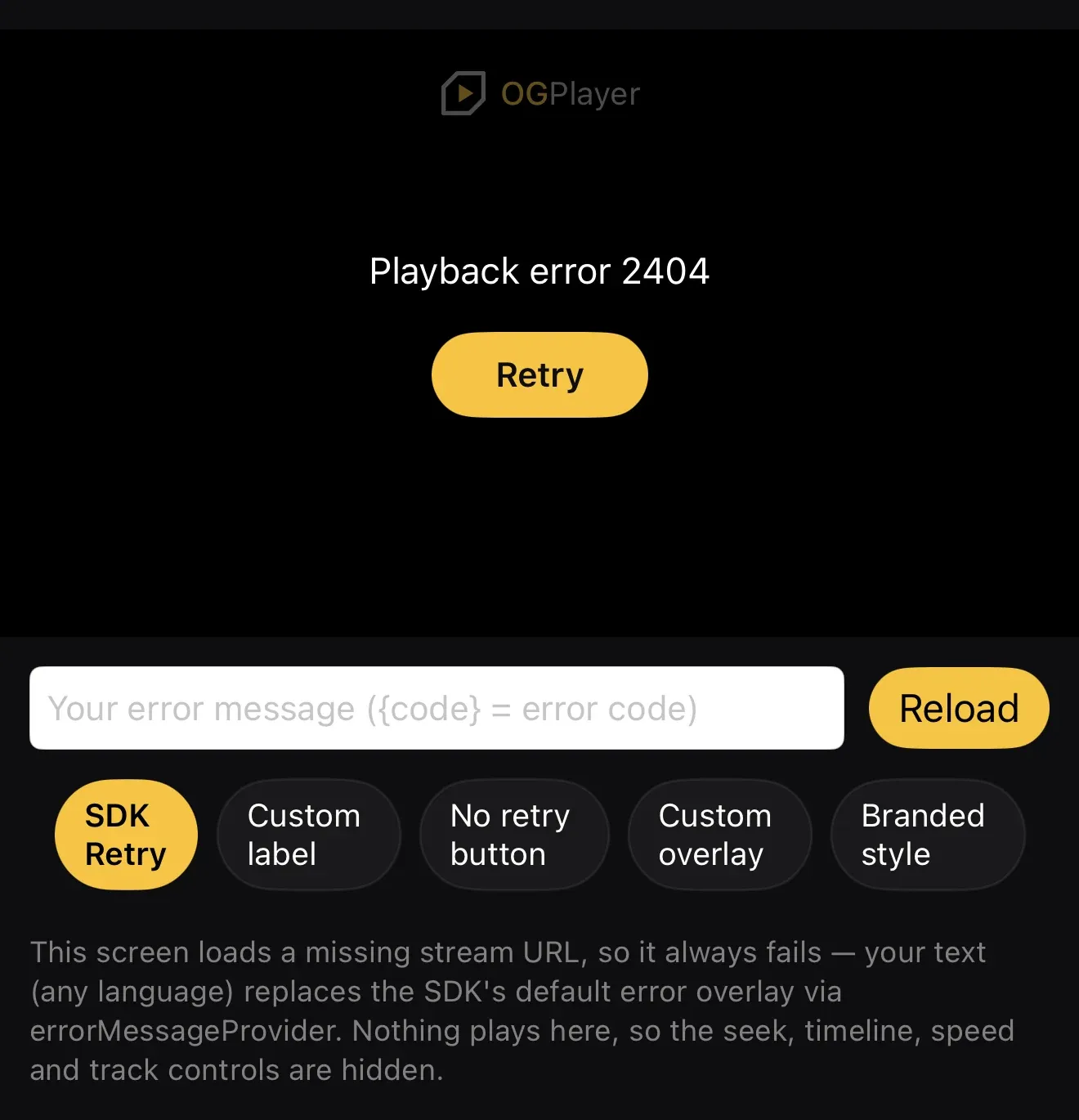
Section titled “Your own error overlay copy”The built-in overlay shows Playback error <code> by default. Map the codes
to your own copy — any language, any tone — with errorMessageProvider in the
UI config; returning nothing falls back to the default, and the raw error
still reaches onError for logging:
OGUiConfig.Builder() .setErrorMessageProvider { error -> strings.forPlaybackError(error.code) } .build()var config = OGUIConfig()config.errorMessageProvider = { error in strings.forPlaybackError(error.code) }el.config = { errorMessageProvider: (error) => strings.forPlaybackError(error.code),};React Native takes a static map instead of a callback (functions can’t cross the bridge) — keys are numeric codes, default covers unlisted ones, and {code} is substituted:
<OGPlayerView style={styles.player} source={item} uiConfig={{ errorMessages: { '2000': 'Geen verbinding — controleer je netwerk.', '4000': 'Deze video is niet beschikbaar op dit apparaat.', default: 'Er ging iets mis (fout {code}).', }, }}/>Flutter takes a static map instead of a callback — keys are numeric codes, default covers unlisted ones, and {code} is substituted:
OGPlayerView( source: item, uiConfig: const OGUIConfig( errorMessages: { '2000': 'Geen verbinding — controleer je netwerk.', '4000': 'Deze video is niet beschikbaar op dit apparaat.', 'default': 'Er ging iets mis (fout {code}).', }, ),)Good to know: the SDK recovers silently where it can (DRM retries on Android,
live-edge retry before 6000 BEHIND_LIVE_WINDOW); ad errors are a separate,
never-fatal channel (AdListener.onAdError); and buffering never masquerades
as an error.