Controls & headless mode
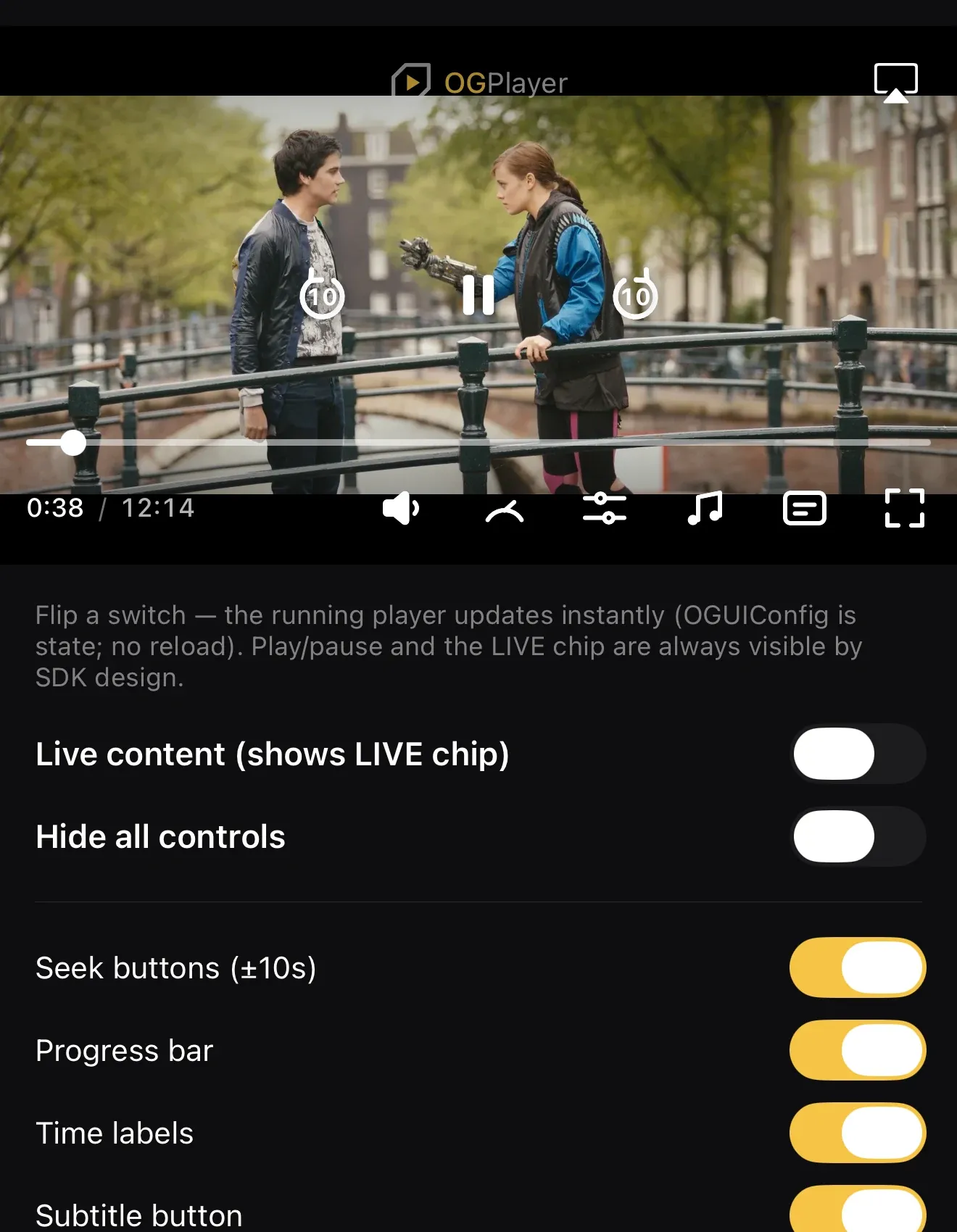
Every control in the chrome has its own visibility flag — progress bar, time labels, ±seek buttons, volume, speed, quality, audio, subtitles, fullscreen, cast/AirPlay (mobile), title, content ratings. Flip any subset, or take the chrome fully headless and render your own UI on top of the engine.
// per-controlOGUiConfig.Builder()    .setShowSpeedButton(false)    .setShowCastButton(false)    .build()
// fully headlessOGUiConfig.Builder().hideAllControls().build()// …or bring your own Composables:OGPlayerView(player = player, customControls = { MyControls(player) })
// per-controlvar config = OGUIConfig()config.showSpeedButton = falseconfig.showAirPlayButton = false
// fully headlessvar lean = OGUIConfig.hidingAllControls()// …or bring your own view:OGPlayerView(player: player, isFullscreen: $isFullscreen, customControls: { AnyView(MyControls(player: player)) })// per-controlel.config = { showSpeedButton: false };
// fully headlessimport { hidingAllControls } from "ogplayer";el.config = hidingAllControls();const perControl: OGUIConfig = { showSpeedButton: false, showCastButton: false };const headless: OGUIConfig = { hideAllControls: true };
<OGPlayerView style={styles.player} source={{ url }} uiConfig={perControl} />A custom-controls slot isn’t available in React Native — for your own UI, go
headless with hideAllControls and layer React Native views over the player.
const perControl = OGUIConfig(showSpeedButton: false, showCastButton: false);const headless = OGUIConfig(hideAllControls: true);
OGPlayerView(source: OGMediaItem(url: url), uiConfig: perControl)
A custom-controls slot isn’t available in Flutter — for your own UI, go
headless with hideAllControls and stack Flutter widgets over the player.
Showing and hiding the chrome
Section titled “Showing and hiding the chrome”The chrome auto-hides during playback (controlsTimeoutMs). How it comes
back follows each platform’s native convention:
- Touch (Android, iOS, React Native, and touch input on web): tap the video to toggle the chrome.
- Desktop web (mouse and keyboard): moving the mouse over the player raises the chrome; clicking the video toggles play/pause, and the keyboard shortcuts below work whenever the player has focus (it takes focus on any click). Focused controls keep their normal keyboard activation.
Keyboard shortcuts (web)
Section titled “Keyboard shortcuts (web)”Active while the player has focus — never a page-wide hook. Seek keys
follow the live rules (nothing on an edge-locked LIVE stream, inside the
window on LIVE_DVR, End jumps to the live edge) and stay inert during
ads; volume, mute and fullscreen work everywhere.
| Key | Action |
|---|---|
Space, K | play / pause |
← →, J L | seek back / forward by the seek increment (10 s by default) |
↑ ↓ | volume up / down (5 % steps; ↑ also unmutes) |
M | mute / unmute |
F | fullscreen on / off |
C | subtitles off / back to the last language |
0–9 | jump to 0–90 % (VOD) |
Home, End | start / end (live edge on live) |
Esc | leave fullscreen (or close an open menu) |
Modifier chords (Ctrl, Cmd, Alt) and unmapped keys reach the page
untouched. Turn the whole thing off, or change single keys:
el.config = { keyboardShortcuts: false, // the host owns the keyboard};el.config = { keymap: { m: null, p: "toggleMute" }, // drop M, add P; letters are case-insensitive};Actions: playPause, seekBackward, seekForward, volumeUp,
volumeDown, toggleMute, toggleFullscreen, exitFullscreen,
toggleSubtitles, seekToStart, seekToEnd, seekToPercent (digit keys
only). The mobile SDKs have no keyboard; TV remotes are a separate story.
Rules the SDK keeps for you:
- Play/pause and the LIVE chip are never hidden by the per-control flags — a player must stay operable.
- Live gating stacks on top of your flags: pure
LIVEdrops the scrubber, seek buttons and time labels; playback speed is not offered on any live stream (Android and iOS from 1.4.1). - The error overlay always wins — even over custom controls.