Google IMA ads
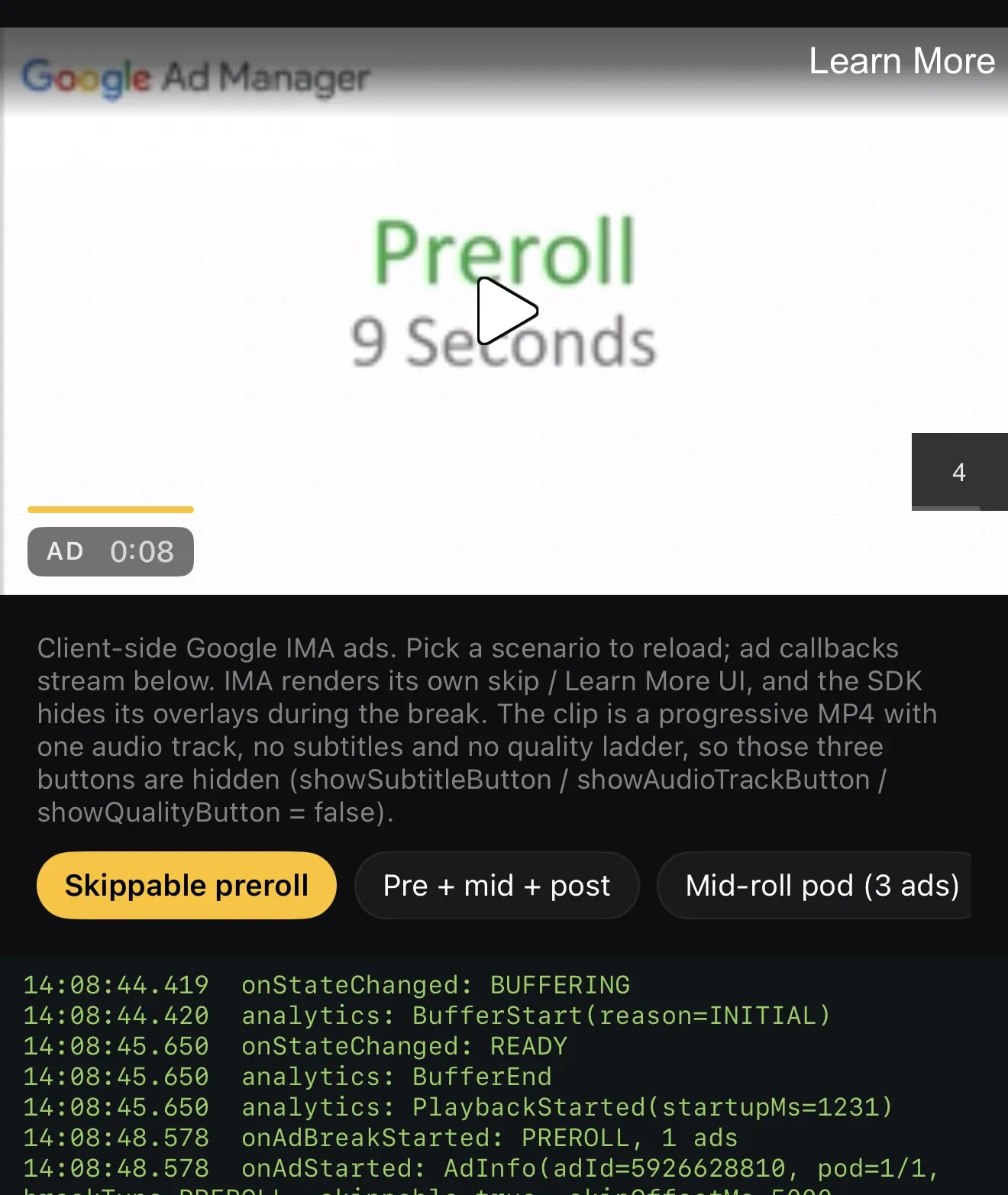
Attach the IMA provider once, then put an ad tag on any media item. The SDK draws the ad chrome — yellow progress bar, AD chip with pod position, countdown, cue markers on the scrubber — identically on all platforms, while IMA renders its own skip button and clickthrough (a Google requirement).
Nothing sits over a playing ad. On phones a tap on the ad pauses it and brings
up the play glyph; a tap resumes it and the glyph leaves — the glyph also
appears when an ad is paused from the lock screen, media keys or pause().
IMA reports the tap to the SDK, so its skip button and clickthrough keep
working. On the web a click on the creative is the
clickthrough, so the ad bar carries the play/pause for the whole break
(adPlayIconSvg / adPauseIconSvg restyle it; Space and K work too). Learn
more pauses the ad while the browser covers the app and resumes it when the
viewer comes back. On TV the transport stays in the ad bar for the whole
break, as the remote’s focus anchor.
val player = OGPlayer.Builder(context)    .setAdsProvider(ImaAdsProvider(context))    .build()
player.load(    OGMediaItem.Builder(contentUrl)        .setAdBreaks(AdTagConfig("https://pubads.g.doubleclick.net/...vmap..."))        .build(),)
let player = OGPlayer()player.adsProvider = IMAAdsProvider()
var item = OGMediaItem(urlString: contentUrl)!item.adBreaks = AdTagConfig(adTagURI: "https://pubads.g.doubleclick.net/...vmap...")player.load(item)player.adsProvider = new ImaAdsProvider();// FreeWheel-trafficked VPAID creatives need: new ImaAdsProvider({ vpaidMode: "insecure" })
player.load({ url: contentUrl, adBreaks: { adTagUri: "https://pubads.g.doubleclick.net/...vmap..." },});<OGPlayerView style={{ flex: 1 }} source={{ url: contentUrl, ads: { adTagUrl: "https://pubads.g.doubleclick.net/...vmap..." }, }} adsEnabled autoplay/>OGPlayerView( source: OGMediaItem( url: contentUrl, ads: const AdsConfig(adTagUrl: 'https://pubads.g.doubleclick.net/...vmap...'), ), adsEnabled: true, autoplay: true,)What you observe, on every platform, through the same AdListener:
onAdBreakStarted → onAdStarted (with pod position and duration) →
onAdProgress ticks → onAdCompleted → onAdBreakCompleted, plus
onAdError (never fatal to content). VMAP cue points surface via
adCuePositionsMs and as yellow dots on the scrubber; played breaks drop
their cue.
Web-only extra: the ad-blocker policy (adBlockerPolicy: "notice" | "block" | "none") — detection is deterministic (error 902) and the hard
policy refuses content until the blocker is off.
Watched ads don’t replay
Section titled “Watched ads don’t replay”Within one player instance, ads the viewer has already watched for a given
video + ad tag are not requested again when that same combination is
load()ed again. Reloading a video — after an error, a settings change, a
DRM refresh — never forces the viewer back through the same preroll. A new
player instance is always a fresh ad session, so a genuinely new watch
(a new screen, a new page) requests ads normally.
Platform nuance, worth knowing exactly:
- Android tracks this per break: a watched preroll stays skipped while unwatched mid-rolls in the same VMAP schedule still play after a reload.
- iOS and web skip the ad request once the video’s whole ad schedule has completed. A partially watched VMAP schedule (preroll seen, mid-rolls not reached) starts over on reload — the IMA SDKs on these platforms offer no way to mark individual breaks as already played.
For the most common setup — a single preroll — every platform behaves identically: watch it once, reload freely.
Want a reload to request ads again anyway? Use a new player instance, or vary the tag URL (an extra query parameter is enough — ad servers ignore parameters they don’t know).
Samsung Tizen and LG webOS
Section titled “Samsung Tizen and LG webOS”Google’s IMA HTML5 SDK has no official support for Samsung or LG televisions (Google: IMA for additional platforms). OGPlayer runs it there as a showcase: ad breaks, the ad bar and the remote control work as on every other platform, but Google’s own ad UI — including the “About this ad” icon on Google-served programmatic ads — is rendered by Google at browser size and cannot be changed by any player. Production ad delivery on these televisions is typically server-side (Google DAI or another SSAI), or a non-Google ad server such as FreeWheel, where no such icon appears.