Picture-in-picture
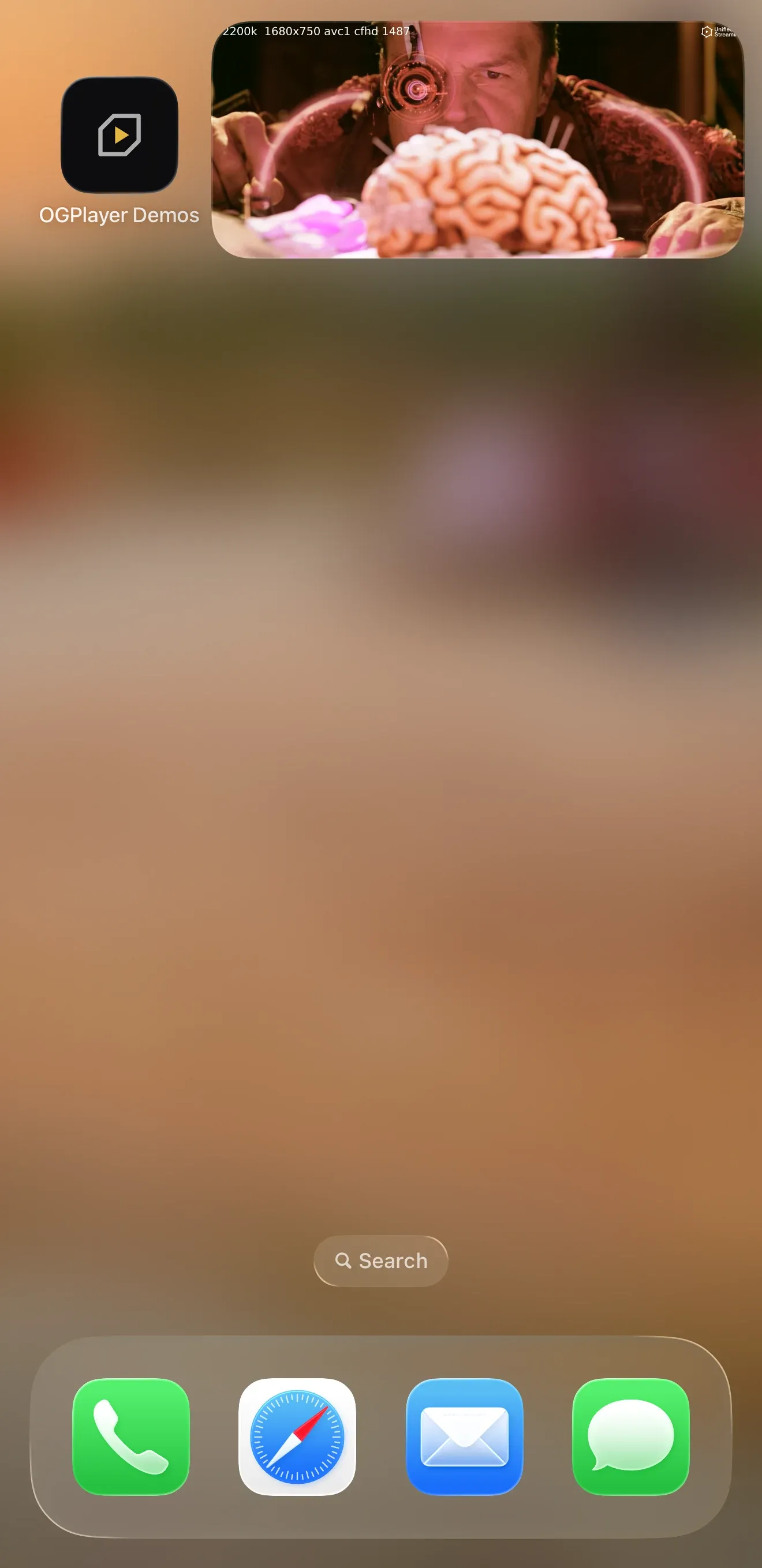
Picture-in-picture keeps content playing in a small system window while the viewer uses other apps. It is available on Android, iOS, the web, React Native and Flutter, and it is off by default — there is deliberately no PiP button in the player chrome. You decide whether your app offers PiP, and enabling it is a single switch; entering is automatic — leaving the app while content plays puts it in the little window. An imperative API exists for hosts with their own flows, but auto-enter is the intended experience.
// Passing a handler IS the enable switch.val pipHandler = remember { ActivityPipHandler(activity, player) }
OGPlayerView(    player = player,    pipHandler = pipHandler,    autoEnterPipOnBackground = true,   // default: Home while playing enters PiP)
// Imperative enter, if your app's own flow ever needs it:pipHandler.enterPip()
// Observe transitions:pipHandler.addPipListener { event ->    // ENTERED, EXPANDED (window grew back into the app),    // DISMISSED (the ✕ — the SDK pauses playback)}
// When the player screen closes while the activity lives on// (navigation, single-activity apps), release the handler:DisposableEffect(Unit) {    onDispose { pipHandler.release() }}
Host requirements — the player’s activity entry in AndroidManifest.xml
needs:
<activity android:supportsPictureInPicture="true" android:configChanges="screenSize|smallestScreenSize|screenLayout|orientation" />A missing flag doesn’t crash: the SDK logs the exact fix once and disables PiP for that player.
@State private var isPipActive = false
OGPlayerView(    player: player,    pipEnabled: true,                 // the enable switch    isPipActive: $isPipActive,        // two-way: set true/false to enter/exit,                                      // the SDK writes actual transitions back    autoEnterPipOnBackground: true,   // default: backgrounding enters PiP    onPipRestoreUserInterface: { done in        // The viewer tapped "back to app" on the PiP window: bring your        // player screen back, then call done(). (A 2 s safety timeout        // completes the transition even if you forget.)        navigateBackToPlayer()        done()    })
Host requirements: add audio to UIBackgroundModes in Info.plist —
without it the OS suspends the app on background and PiP never starts.
// Explicit opt-in (default false): arms the browser's own auto-enter// where the browser offers it.const player = new OGPlayer({ autoEnterPip: true });const el = document.querySelector("og-player");el.player = player;
// Imperative enter, if your app's own flow ever needs it — from inside a// user-gesture handler (browsers grant PiP to a gesture):const entered = await player.enterPip(); // false, never a rejectionawait player.exitPip();player.isInPip; // true while the video is in PiP
// Every transition — enterPip()/exitPip(), the browser's auto-enter, or the// viewer closing the window:player.addListener({ onPipChanged: (isActive) => setInPip(isActive) });el.addEventListener("og-pipchanged", (e) => setInPip(e.detail.isActive));
On the web PiP is API-only: the chrome shows no PiP button, and the host
decides when to enter. enterPip() uses the standard Picture-in-Picture API,
or Safari’s presentation mode where only that exists, and resolves false
rather than throwing when the browser has no PiP (Firefox, smart-TV
engines) or refuses, before anything is loaded, and while an ad break is on
screen. Call it while handling a user gesture — browsers grant PiP only
then.
autoEnterPip: true lets the browser take the video into PiP on its own,
where the browser offers it: Safari on a tab or app switch
(autoPictureInPicture), Chrome on a tab switch for sites it deems eligible
(the media-session enterpictureinpicture action, which the SDK registers).
Nothing simulates it elsewhere — there, PiP starts only from enterPip().
The browser’s own PiP controls, where it shows them, work as well and report
through the same events.
No host setup is needed. The smart-TV bundle carries the same API, but TV
engines have no picture-in-picture, so enterPip() resolves false there.
const playerRef = useRef<OGPlayerViewRef>(null);
<OGPlayerView  ref={playerRef}  style={styles.player}  source={{ url, title: "My movie" }}  pipEnabled  autoEnterPipOnBackground={true}     // default  onPipChanged={(isActive) => setInPip(isActive)}/>;
playerRef.current?.enterPip();playerRef.current?.exitPip();
onPipChanged reports actual transitions on both platforms — after
enterPip() wait for the event rather than assuming success (the OS can
decline, e.g. before the video surface has media).
Host requirements: the Android manifest flags and the iOS Info.plist
background mode shown in the native tabs apply to your React Native app’s
manifest and plist unchanged.
OGPlayerViewController? controller;
OGPlayerView(  source: OGMediaItem(url: url, title: 'My movie'),  pipEnabled: true,  autoEnterPipOnBackground: true, // default  onViewCreated: (c) => controller = c,  onPipChanged: (isActive) => setState(() => _inPip = isActive),);
controller?.enterPip();controller?.exitPip();
onPipChanged reports actual transitions on both platforms — after
enterPip() wait for the event rather than assuming success (the OS can
decline, e.g. before the video surface has media).
Host requirements: the Android manifest flags and the iOS Info.plist
background mode shown in the native tabs apply to your Flutter app’s manifest
and plist unchanged; the Android host must be a FlutterFragmentActivity.
What the SDK does while in PiP
Section titled “What the SDK does while in PiP”- Chrome is stripped — the little window shows video and subtitles only; system PiP affordances (and on Android the SDK’s play/pause remote action) drive playback.
- Dismissing the window pauses playback (Android’s ✕, iOS swipe-away) — otherwise audio would keep running with no window left to control it. On the web the browser decides what closing its window does.
- Auto-enter is suppressed while an ad plays, while casting, and in error states; an ad break that starts while in PiP exits PiP — the small window has no skip/clickthrough UI, so ads never play in it. On the web the browser’s auto-enter is disarmed for the length of a break.
- The analytics stream emits
PictureInPictureChanged(isActive=…)on every transition — see Analytics & events.
Notes per platform
Section titled “Notes per platform”- Android — PiP needs API 26+. On API 31+ auto-enter uses the platform’s
seamless transition; on 26–30 it is approximated via the user-leave hint.
ActivityPipHandleris the ready-made handler; implement thePipHandlerinterface directly only for custom presentations, and release whichever you use (release()) when its player screen closes — an armed activity would otherwise keep auto-entering PiP from screens without a player. - Web — the window stays open across a new
load(),retry()or a playlist advance (same element, new media);unload()andrelease()close it and report the exit. The browser draws the window’s own controls. - iOS — entering is driven by AVKit;
isPipActiveonly reflects true once the system actually starts the window. If the binding snaps back tofalseright after you set it, the start was declined (no media on the layer yet, or another app’s PiP session is active) — try again once playback is up. - React Native —
exitPip()on Android re-launches the activity to expand the window (the platform’s own expand pattern); on iOS it stops the PiP session directly. - Flutter — the same
enterPip()/exitPip()on the controller, with the same platform behaviour as React Native. Keep the player widget’s type and position in the tree stable across the PiP transition: a rebuilt platform view is a new player, and the PiP window closes with the old one.